How to attach a file
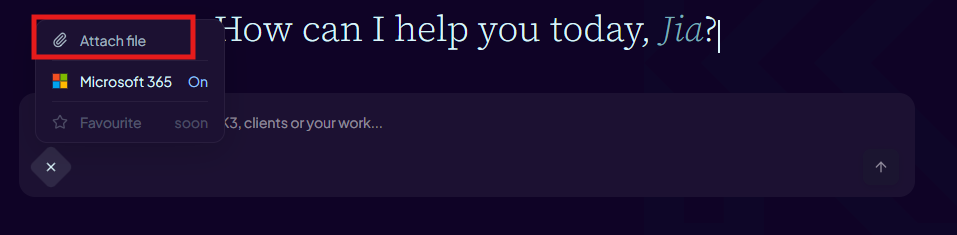
- Click the paperclip/attach icon in the message composer, drag files onto the composer, or paste a screenshot/image from your clipboard.
- Select or drop up to 10 files from your device. Supported formats: images, PDF, DOCX, XLSX, PPTX, TXT, CSV, MD.
- Files up to 25 MiB upload directly. For larger PDF, PPTX or XLSX files, Aimee may try a bounded optimisation that preserves text, tables, data and document structure; embedded raster media may be recompressed or downscaled.
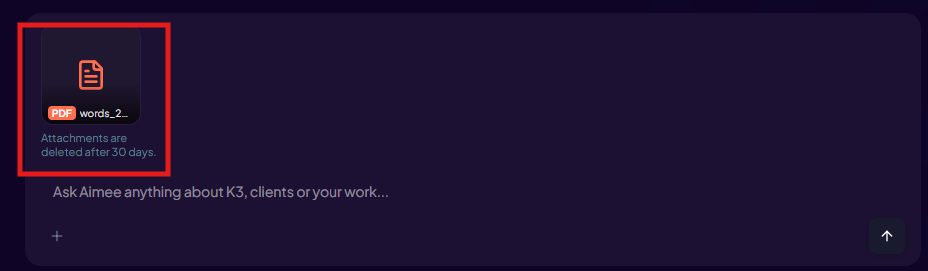
- Each file appears as its own preview in the composer. Click the × on a preview to remove it before sending.
- Press Send. The attachments are uploaded and included with your message.
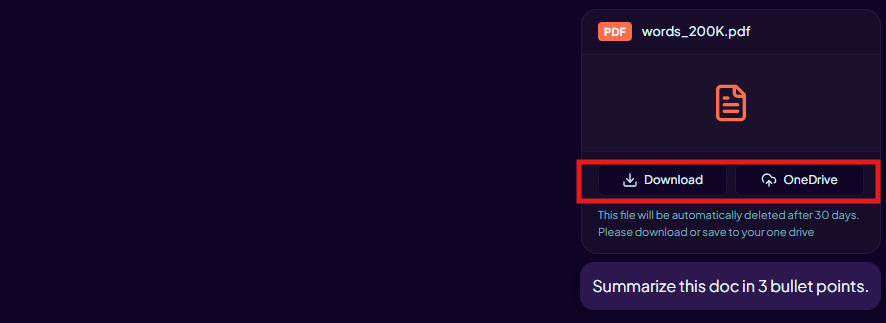
- After sending, click an attachment card in the chat thread to preview or download it.
Screenshots and images pasted from the clipboard are attached automatically. Large blocks of pasted text may be automatically converted into a .txt attachment.